MirraCharts
Official installers · NinjaTrader 8

Install once.
Read every auction.

Every Mirra installer in one place — the Advanced AI suite, the three essential indicators, NinjaTrader 8 and the Pix Connect data adaptor. Pick what you trade with, download, and have it on your chart in minutes.

Windows · NinjaTrader 8 8 downloads, one page Direct from mirracharts.com
Advanced AI suite · NinjaTrader 8

Two engines.
Every bar graded.

Our flagship indicators, each shipped with its scanner in a single installer. The chart shows you the structure; the AI tells you what it means; the scanner finds it across every symbol you follow.

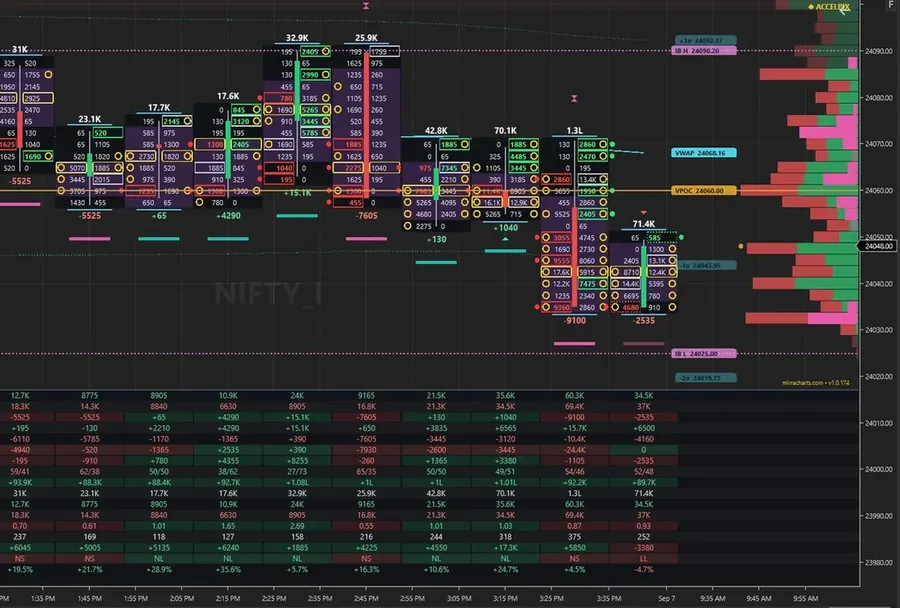
Mirra Advanced Order Flow footprint chart on NinjaTrader 8
FootprintAI readOF Scanner
Indicator + scannerAdvanced · AI

Mirra Advance Orderflow & OF Scanner

See the aggression. Before the move.

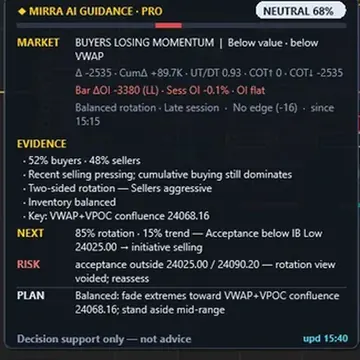
Footprint ladders, absorption and trapped traders — graded bar by bar by the Mirra AI, with the OF Scanner ranking the same order-flow read across your whole watchlist.

  • Bid × ask footprint with delta and cumulative delta
  • AI guidance panel, from Simple to Pro
  • OF Scanner — 41 metrics, ranked in Market Analyzer
Mirra_Charts_Advanced_OF+Scanner_NT8.exeNinjaTrader 8 · Windows installer
DownloadNT8 · .exe
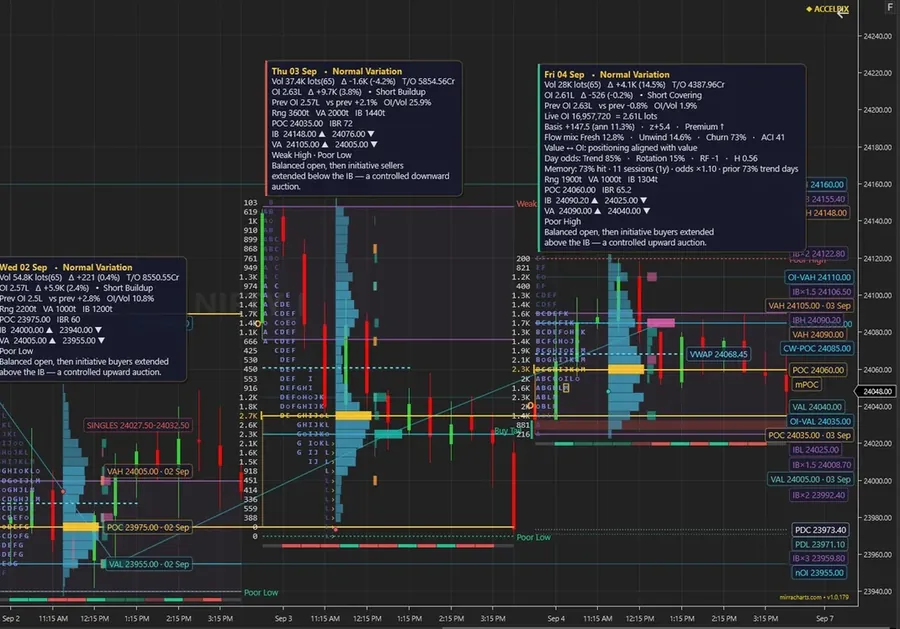
Mirra Advanced Market Profile TPO chart on NinjaTrader 8
TPO profileAI readMP Scanner
Indicator + scannerAdvanced · AI

Mirra Advance Market Profile & MP Scanner

The auction. Read aloud by AI.

Day types, value area, IB extensions and naked POC magnets — read to you in plain language by the AI, with the MP Scanner tracking the profile on every symbol.

  • Day type, value area and initial-balance extensions
  • Naked POC magnets carried across sessions
  • MP Scanner — 45 metrics, every symbol
Mirra_Charts_Advanced_MP_TPO+Scanner_NT8.exeNinjaTrader 8 · Windows installer
DownloadNT8 · .exe
Basic indicators

Three essentials.
One installer.

The clean, no-AI versions of the reads every trader needs. Free with every Accelpix data plan.

All three ship together in Mirra_Indicators.exe — download from any card and you get the full set.

Mirra Orderflow

Bid against ask. Nothing hidden.

Real-time trade flow showing buy and sell volume at every price, with delta and cumulative delta per bar.

Order flowMirra_Indicators.exeIncludes all three basic indicators
DownloadNT8 · .exe

Mirra Market Profile

Know where value lives.

POC, value area and composite profiles that show where the market agreed on price — and where it refused to.

Market profileMirra_Indicators.exeIncludes all three basic indicators
DownloadNT8 · .exe

Mirra Volume Profile

Volume leaves footprints at price.

A volume-at-price histogram with VWAP that exposes support, resistance and high-activity zones at a glance.

Volume profileMirra_Indicators.exeIncludes all three basic indicators
DownloadNT8 · .exe
Platform & data

The foundation
under every chart.

NinjaTrader 8 is the platform; Pix Connect is the pipe that feeds it live market data from Accelpix, our authorised data vendor.

Step 1

NinjaTrader 8

The platform under every Mirra chart.

Customisable charting, automated strategy execution and deep market analytics for futures and forex. Install this first.

Platformninjatrader.comOfficial NinjaTrader download
Get NinjaTrader 8Opens in a new tab
Latest

Pix Connect Ver 4

Live exchange data, straight into NT8.

The Accelpix plugin for NinjaTrader 8 — real-time market connectivity and low-latency feeds with seamless platform integration.

Data adaptorAccelpix_Plugin_For_NT8.exeRecommended for new installs
DownloadNT8 · .exe
v3.13

Pix Connect Ver 3

The proven adaptor, for existing setups.

The previous Pix Connect release, version 3.13. Keep using it if your current workstation already runs on v3.

Data adaptorPixConnect_v3.13.exePrevious version
DownloadWindows · .exe
Installation help

Stuck on an install? We’ll get you charting.

Our support team can walk you through NinjaTrader, Pix Connect and the Mirra installers over live chat or email.

  • Close NinjaTrader 8 firstRun any Mirra or Pix Connect installer with the platform closed, then reopen it once setup finishes.
  • Find Mirra on the chartRight-click a chart, open Indicators and look for the Mirra entries. Scanners live in Market Analyzer.
  • Basic indicators share a fileMirra_Indicators.exe installs Orderflow, Market Profile and Volume Profile together.
Get more, spend less.

Free indicators with every Accelpix plan

Trusted by 5,00,000+ NinjaTrader experts globally — enter the pro league.

Start my free trial